Curriculum Extract (CSV to Google Sheets)
How do I convert a CSV file ("comma-separated values", although any delimiter may be used) in a ZIP file to a Google Sheets spreadsheet?
1. In Google Drive, extract the content of the ZIP file using "Zip Extractor" app. This will create a new folder with the extracted files.
2. Open the CSV file (which typically end with *.csv or *.txt file extension) and note the delimiter used, it's typically a "," or a ";".
3. Create a new blank Google Sheets spreadsheet and import the CSV file using the delimiter used in a file.
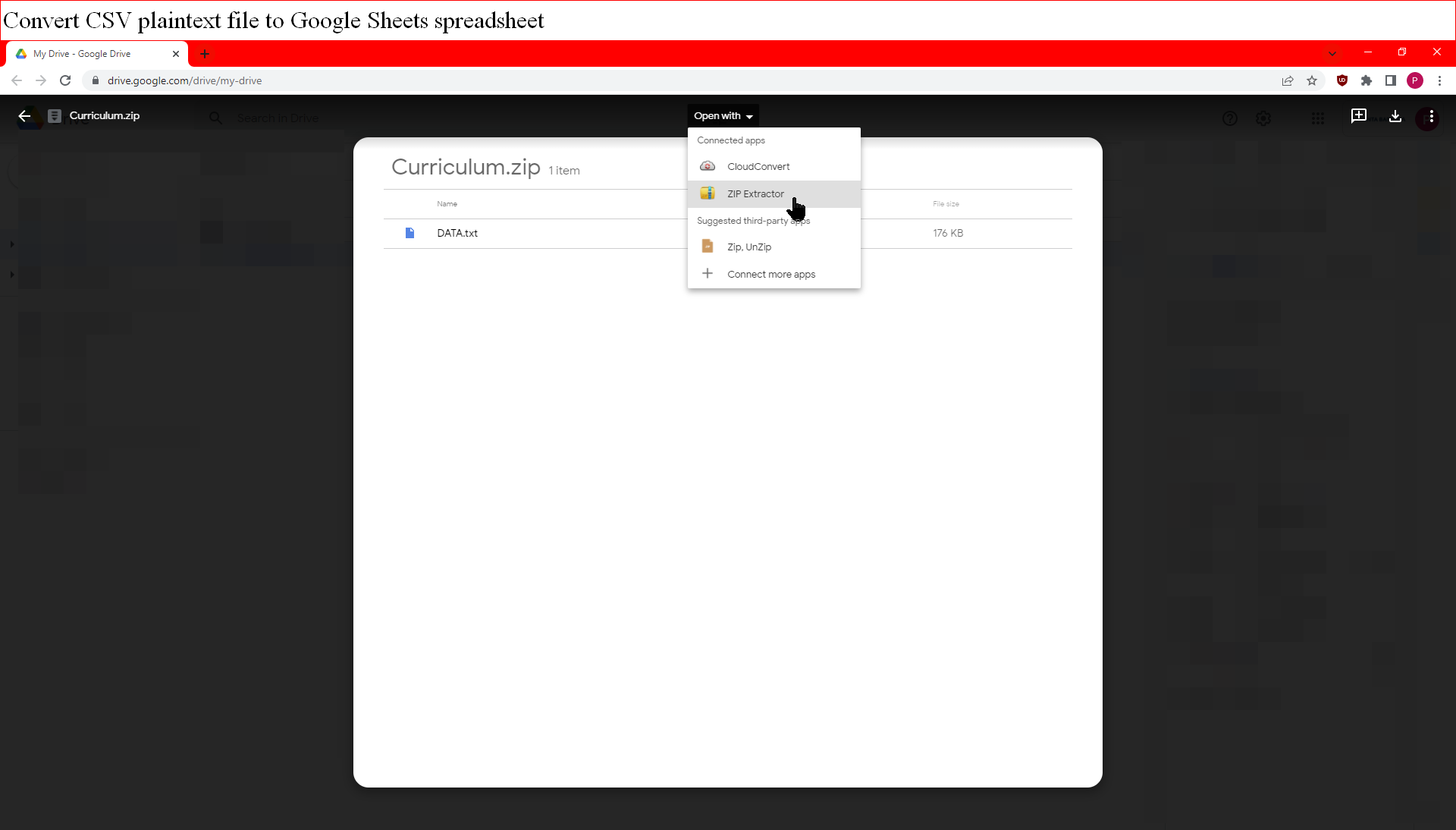
Extracting the ZIP file in Google Drive.
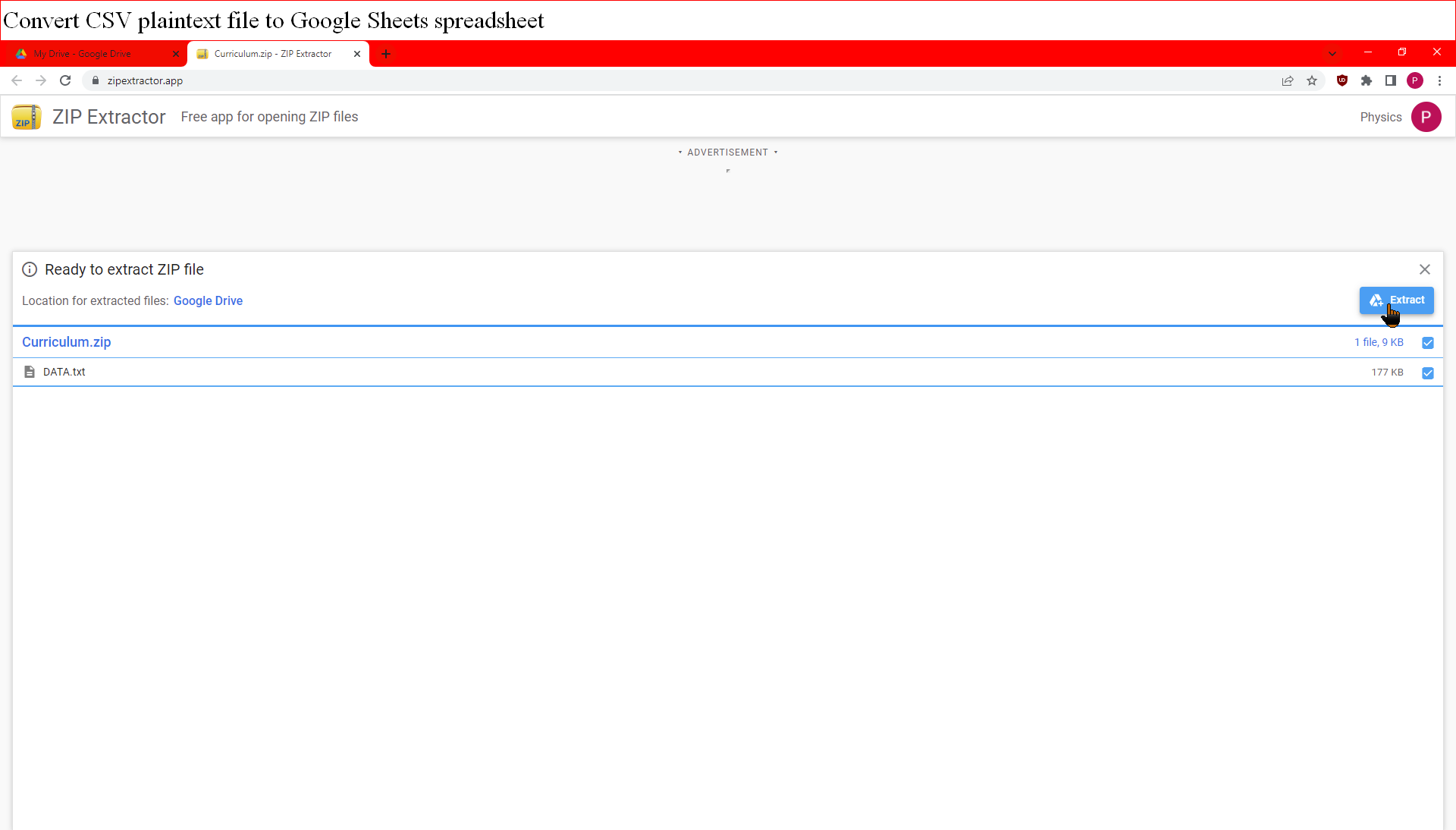
Extracting the ZIP file in Google Drive.
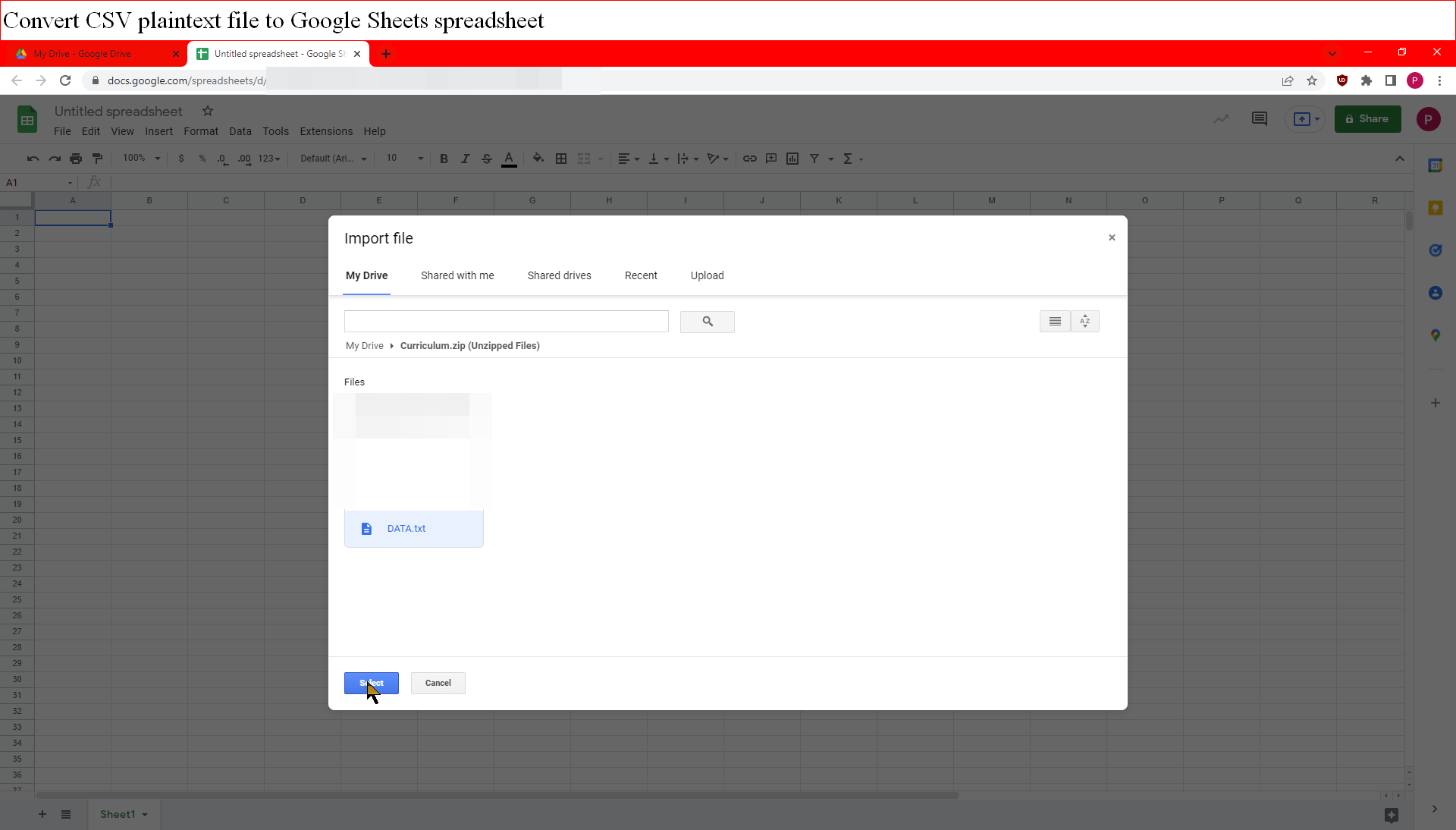
Importing the CSV file in Google Sheets.
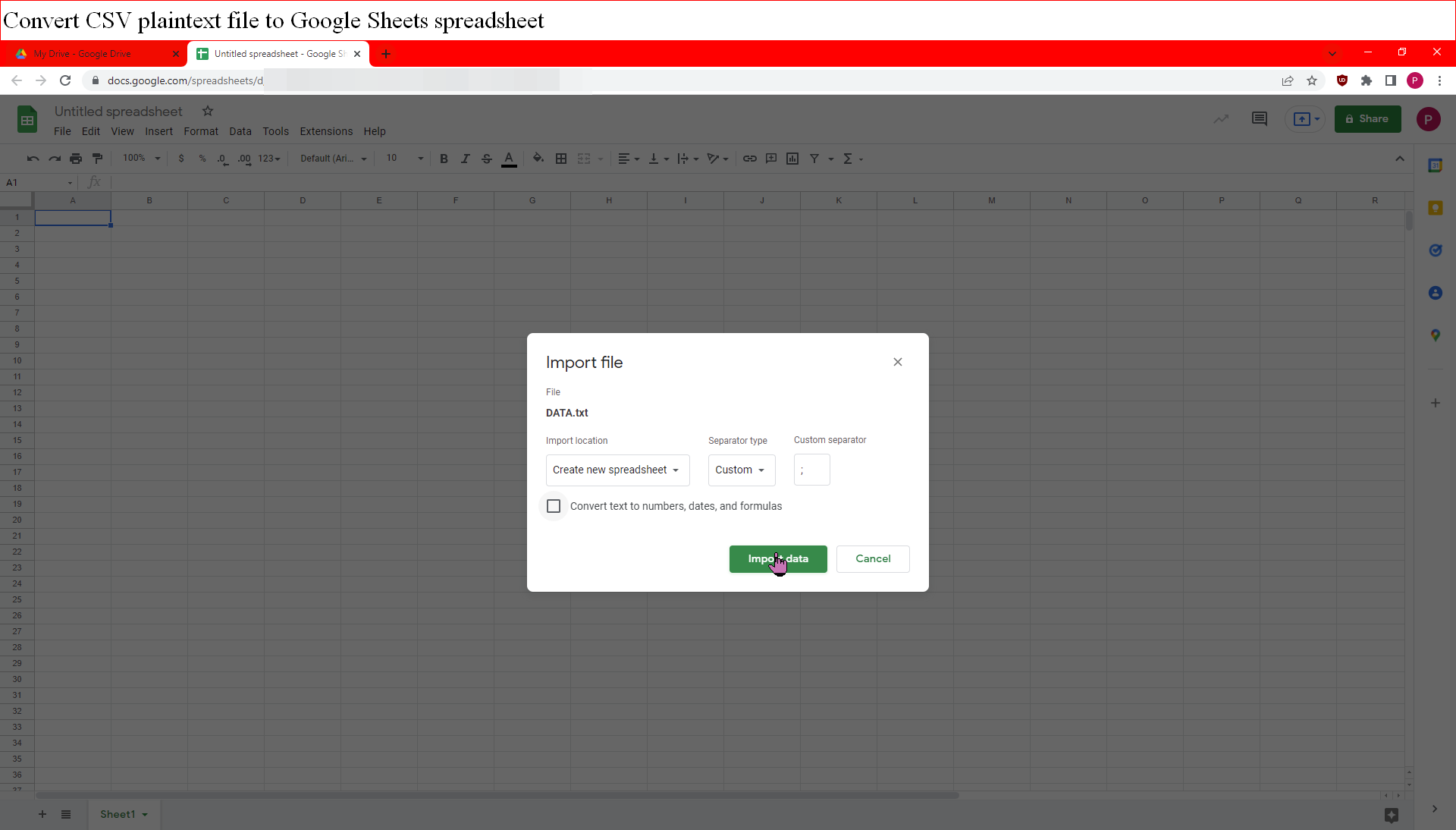
Importing the CSV file in Google Sheets.